This website may contain affiliate links, which means I may receive a commission if you click on a link and make a purchase. While clicking on these links won't cost you any extra money, they will help me keep this site up and running. Your support is appreciated!
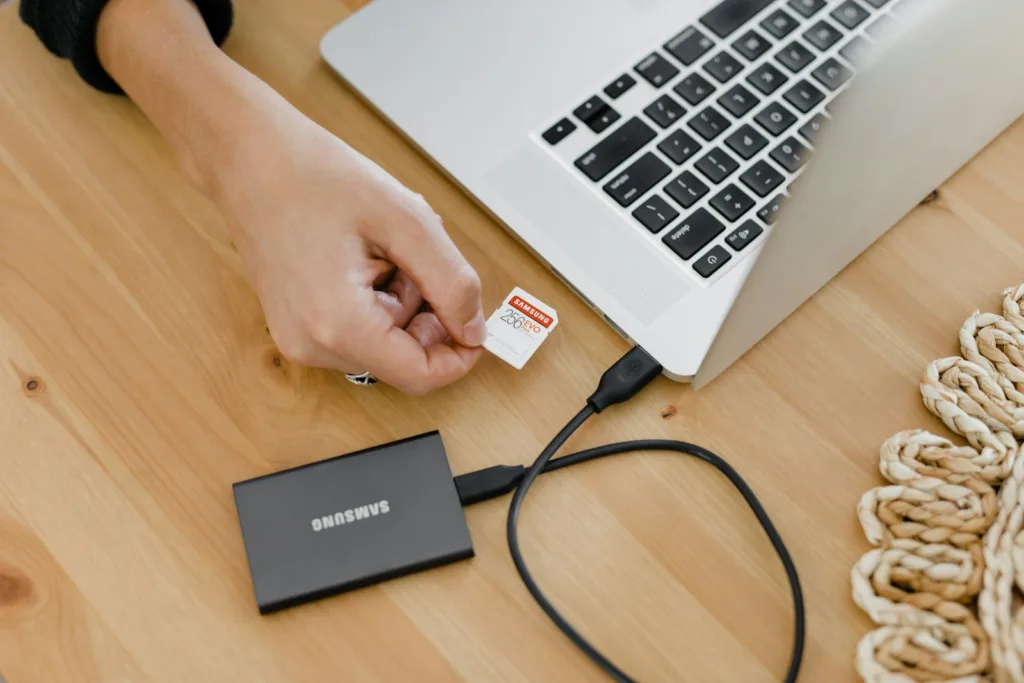
Welcome to the era of digital mobility where laptops have become an indispensable part of our daily lives. But as our need for storing data grows, so does the demand for more efficient and reliable laptop storage solutions. In this article, we will take a glimpse into the future of laptop storage, exploring the cutting-edge technologies and innovations that are poised to revolutionize the way we store and access data on our portable devices. From faster SSDs to groundbreaking data compression techniques, the future of laptop storage is bright and full of exciting possibilities. So, sit back, relax, and let’s embark on a journey to discover what lies ahead for the humble yet mighty laptop storage.
Table of Contents
- Embracing Solid-State Drives for Speed and Reliability
- Upgrading to Larger Capacity SSDs for Expanding Digital Libraries
- Harnessing the Power of NVMe Technology
- Opting for Cloud Storage Solutions to Complement Physical Drives
- Integrating Dual Storage Options for Flexibility and Backup
- Considering the Shift Towards External Storage Innovations
- Exploring the Potential of Universal Flash Storage (UFS)
- Futureproofing with Thunderbolt Ports for High-Speed External Drives
- Adopting Network-Attached Storage for Remote Accessibility
- Delving into the World of Optane Memory for Faster Caching Systems
- Questions & Answers For The Future of Laptop Storage
- Concluding Remarks
Embracing Solid-State Drives for Speed and Reliability

When it comes to laptop storage, solid-state drives (SSDs) are the future. Not only do they offer blazing fast speed, but they also provide reliable performance that traditional hard disk drives (HDDs) simply can’t match. The Future of Laptop Storage lies in embracing SSDs for their superior performance and reliability.
One of the biggest advantages of SSDs is their speed. Unlike HDDs, which rely on spinning disks to read and write data, SSDs use flash memory, allowing for near-instantaneous access to your files and applications. This means faster boot times, quicker file transfers, and snappier overall performance for your laptop. In addition, SSDs are more durable than HDDs since they have no moving parts, making them less susceptible to physical damage. With their speed and reliability, it’s clear that SSDs are the future of laptop storage.
While SSDs offer numerous benefits, including speed and reliability, there are some drawbacks to consider as well. SSDs tend to be more expensive than HDDs, and they typically offer less storage capacity. However, the price of SSDs has been steadily decreasing, and the smaller storage capacity may not be an issue for those who primarily use their laptops for everyday tasks. When it comes to The Future of Laptop Storage, SSDs are the clear choice for those seeking speed and reliability in their laptop storage.
Upgrading to Larger Capacity SSDs for Expanding Digital Libraries
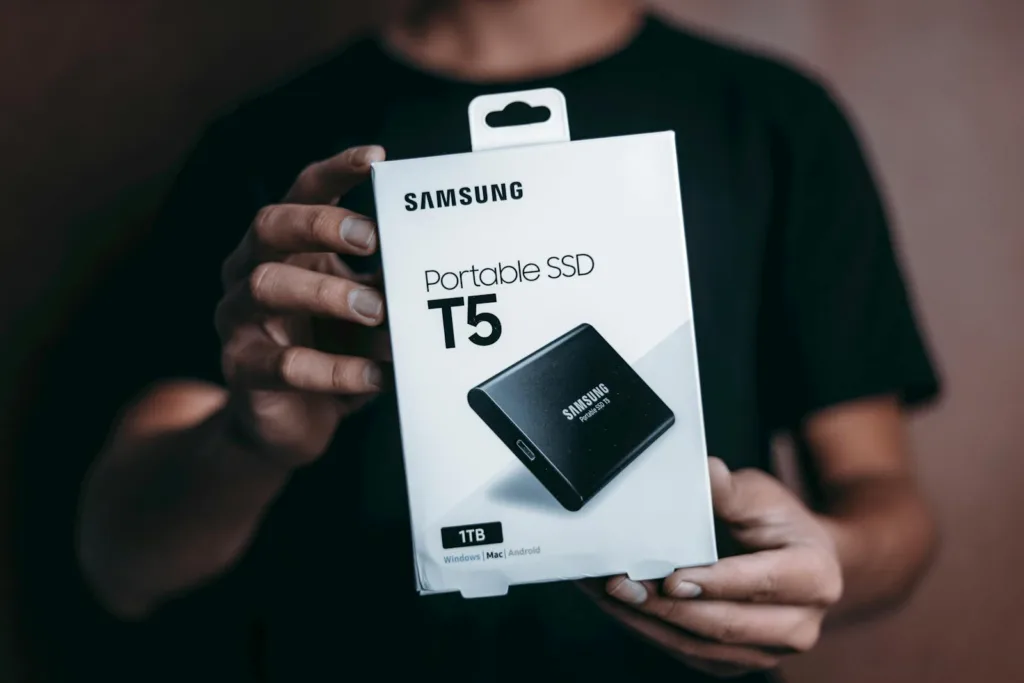
The Future of Laptop Storage is here, and with the increasing need for more digital space, it’s never been a better time to upgrade to larger capacity SSDs. Whether you’re a content creator or a digital hoarder, expanding your digital library requires a reliable and fast storage solution. Upgrading your laptop’s SSD to a larger capacity not only provides you with more space, but it also boosts your system’s performance, making it a win-win situation.
When considering upgrading to a larger capacity SSD for expanding your digital library, there are a few things to keep in mind. First, make sure to check your laptop’s compatibility with larger SSDs. Some older models may have limitations on the maximum capacity they can support, so it’s essential to do your research before making a purchase. Secondly, consider the read and write speeds of the SSD you’re considering. Faster speeds will result in quicker file transfers and overall smoother performance.
If you’re ready to take the leap and upgrade your laptop’s SSD, here are some steps to help guide you through the process:
- Back up your data: Before making any changes to your laptop’s storage, be sure to back up all your important files and documents.
- Research SSD options: Look for SSDs with larger capacities and fast read and write speeds. Companies like Samsung and Western Digital offer reliable options for upgrading your laptop’s storage.
- Install the new SSD: Follow the manufacturer’s instructions for installing the new SSD into your laptop, and transfer your backed-up data to the new drive.
| SSD Capacity | Read Speed | Write Speed |
|---|---|---|
| 1TB | 3500 MB/s | 2700 MB/s |
| 2TB | 3600 MB/s | 2800 MB/s |
With these steps and recommendations in mind, upgrading to larger capacity SSDs for expanding your digital library is a simple and worthwhile investment in The Future of Laptop Storage.
Harnessing the Power of NVMe Technology
When it comes to the future of laptop storage, there’s a technology that’s been causing quite a buzz in the industry: NVMe. NVMe, or Non-Volatile Memory Express, is a storage protocol that’s designed to unlock the full potential of solid-state drives (SSDs). Unlike traditional storage technologies like SATA, NVMe is optimized for flash memory, resulting in significantly faster data transfer speeds and lower latency.
So, how can you harness the power of NVMe technology for your laptop? The first step is to make sure that your laptop supports NVMe SSDs. If it does, then consider upgrading to an NVMe SSD for a substantial improvement in storage performance. Additionally, you can also take advantage of NVMe over Fabrics (NVMe-oF) to connect your laptop to high-speed storage systems over a network, further enhancing storage capabilities.
Furthermore, with NVMe technology, laptops can achieve lightning-fast boot times, near-instantaneous application launches, and seamless multitasking. The improved power efficiency also extends battery life, making it a game-changer for portable computing. In addition, the compact form factor of NVMe SSDs allows for sleeker and lighter laptop designs without sacrificing storage capacity.
Opting for Cloud Storage Solutions to Complement Physical Drives
As laptops and portable devices become an essential part of our daily lives, the need for ample storage space has become crucial. Physical drives have been the go-to solution for many years, but with the advancements in technology, is the way of the future. The Future of Laptop Storage lies in the integration of both physical and cloud storage to ensure seamless accessibility and data security.
One of the primary reasons for considering cloud storage solutions is the accessibility it offers. With cloud storage, your data is available from any device with an internet connection, providing unparalleled convenience. This is especially beneficial for individuals who work remotely or need to access their files on the go. The Future of Laptop Storage hinges on the flexibility that cloud storage provides.
| Pros of Cloud Storage | Cons of Cloud Storage |
|---|---|
| Accessibility from anywhere | Potential security risks |
| Scalable storage options | Dependent on internet connection |
| Data backup and recovery | Potential subscription costs |
Incorporating cloud storage with physical drives also provides an extra layer of security. In the event of a hardware failure or loss, your data remains safe in the cloud. Creating a hybrid storage approach for your laptop combines the speed and reliability of physical drives with the accessibility and security of cloud storage, ensuring that you have the best of both worlds. The Future of Laptop Storage is undoubtedly in the harmonious integration of these two storage solutions.
Integrating Dual Storage Options for Flexibility and Backup

When it comes to laptop storage, the future is all about flexibility and backup options. By integrating dual storage solutions, you can enjoy the best of both worlds: speed and capacity, as well as peace of mind knowing that your data is backed up.
Here’s how you can easily integrate dual storage options on your laptop:
Step-by-Step Directions:
- Start by assessing your storage needs and budget.
- Choose a primary storage option, such as a fast SSD for speed.
- Install a secondary storage option, like a larger HDD for backup and additional storage space.
- Configure your laptop to recognize and utilize both storage options.
- Enjoy the flexibility and peace of mind that comes with dual storage integration.
For our recommendation, we suggest considering a laptop with a PCIe SSD for the primary storage option, combined with a secondary HDD for backup and additional storage. This combination offers the best of both worlds, with fast performance and ample space for all your data. With this setup, you can enjoy the speed of SSD while having the peace of mind that comes with a backup solution.
| Primary Storage | Secondary Storage |
|---|---|
| PCIe SSD | HDD |
| Fast performance | Ample storage space |
| Expensive | Affordable |
By , you can future-proof your laptop and ensure that you have the storage capacity and security you need for years to come. Whether you’re a power user or casual user, having a reliable storage setup is essential for the future of laptop storage.
Considering the Shift Towards External Storage Innovations

As technology continues to advance, we are seeing a significant shift towards external storage innovations in the laptop industry. This shift is shaping the future of laptop storage, as consumers are seeking more efficient and flexible ways to store their data. With the increasing demand for larger storage capacities and faster data transfer speeds, it’s important to consider the external storage options available for laptops.
One of the most exciting innovations in laptop storage is the emergence of portable SSDs (Solid State Drives). SSDs offer lightning-fast read and write speeds, making them ideal for storing and accessing large files such as videos, photos, and design projects. Additionally, SSDs are more durable and reliable than traditional HDDs (Hard Disk Drives), making them a popular choice for users who are constantly on the go. With the increasing affordability of SSDs, they are becoming a preferred storage solution for laptop users.
Another trend in laptop storage is the utilization of cloud storage services. Cloud storage allows users to store their data remotely, enabling access from any device with an internet connection. This provides a convenient way to free up space on a laptop’s internal storage, while also ensuring that data is securely backed up. However, reliance on cloud storage may raise concerns about data privacy and security, as well as the need for a stable internet connection to access files.
Exploring the Potential of Universal Flash Storage (UFS)
With the rapid advancement in technology, the potential of Universal Flash Storage (UFS) for laptops is an exciting prospect. The Future of Laptop Storage is shifting towards UFS for its faster data transfer speeds, higher read and write efficiency, and increased reliability. This means that users can expect a significant improvement in their laptop’s storage performance when utilizing UFS technology.
One of the advantages of UFS for laptops is its ability to handle large files and complex applications with ease. This means faster boot times, quicker application launches, and seamless multitasking. Additionally, UFS also consumes less power, which can lead to improved battery life for laptops. With the increasing demand for high-performance laptops, UFS is a promising solution for meeting these demands.
Another aspect to consider is the durability of UFS. With its solid-state design, UFS is more resistant to physical shock, making it a reliable choice for laptop storage. So, not only does UFS improve performance, but it also enhances the overall durability and longevity of a laptop’s storage system. If you want a faster, more efficient, and durable storage solution for your laptop, UFS is definitely worth exploring for The Future of Laptop Storage.
When looking into potential UFS solutions for laptops, it’s important to consider reputable companies such as Samsung, Western Digital, and Kingston, as they are leading the way in UFS technology. These companies offer a variety of UFS products that cater to different laptop models and user requirements, providing a range of storage capacities and compatible interfaces. Conduct thorough research and choose a UFS solution that aligns with The Future of Laptop Storage to ensure a seamless integration and optimal performance for your laptop.
Futureproofing with Thunderbolt Ports for High-Speed External Drives
The Future of Laptop Storage is here with the latest advancements in Thunderbolt ports for high-speed external drives. Thunderbolt ports are the key to futureproofing your laptop’s storage capabilities, allowing for lightning-fast data transfer and seamless connectivity with external drives. With Thunderbolt, you can take full advantage of the latest high-speed SSDs and enjoy faster backup and file transfer speeds than ever before.
One of the most exciting aspects of futureproofing with Thunderbolt ports is the ability to connect multiple high-speed external drives simultaneously. This means you can easily expand your laptop’s storage capacity without sacrificing speed or performance. With Thunderbolt, you can create a versatile and powerful storage ecosystem that meets the demands of today’s data-intensive workflows.
For professionals in creative industries such as photography, video production, and graphic design, Thunderbolt ports are a game-changer. The blazing-fast data transfer speeds enable seamless editing directly from external SSDs, eliminating the need to constantly transfer files back and forth between drives. The Future of Laptop Storage has arrived, and Thunderbolt ports are leading the charge in high-speed, reliable data storage solutions.
Whether you’re using a MacBook Pro, Dell XPS, or another Thunderbolt-enabled laptop, taking advantage of Thunderbolt ports for high-speed external drives is a smart investment in the future of your work. With Thunderbolt, you can futureproof your laptop’s storage capabilities and stay ahead of the curve in data management and productivity.
| Pros | Cons |
|---|---|
| Lightning-fast data transfer speeds | High-speed external drives can be expensive |
| Seamless connectivity with external drives | Not all laptops have Thunderbolt ports |
| Ability to connect multiple drives simultaneously | May require additional investment in Thunderbolt-enabled peripherals |
When it comes to recommendations, we highly recommend the Samsung X5 Thunderbolt 3 Portable SSD for unparalleled speed and reliability. With read and write speeds of up to 2800 MB/s, this external SSD is a perfect companion for futureproofing your laptop’s storage.
Additionally, the LaCie Rugged Pro Thunderbolt 3 External Hard Drive is an excellent choice for professionals on the go, offering durability and high-speed performance in a portable package. Both of these options will ensure that you’re ready for The Future of Laptop Storage and all the demands it brings.
Adopting Network-Attached Storage for Remote Accessibility
Network-Attached Storage (NAS) is becoming an increasingly popular choice for individuals and businesses looking to enhance their remote accessibility. By adopting NAS, you can revolutionize the way you access and store data on your laptops, bringing about a new era in laptop storage.
One of the key benefits of adopting NAS for remote accessibility is the ability to access your data from anywhere in the world. With NAS, you can access files, documents, and media from your laptop no matter where you are, as long as you have an internet connection. This level of flexibility and freedom is unparalleled, making NAS a top choice for those seeking remote accessibility.
Setting up NAS for remote accessibility is easier than you might think. With the right equipment and software, you can have your system up and running in no time. First, you’ll need to choose the right NAS hardware – companies like Synology and QNAP offer a range of options suitable for different needs. Once you have your hardware, you can easily configure it to allow remote access, enabling you to access your data from anywhere.
Delving into the World of Optane Memory for Faster Caching Systems
The future of laptop storage is here, and it’s in the form of Optane Memory. This cutting-edge technology is revolutionizing the way computers cache data, providing faster and more efficient storage solutions for laptops. With Optane Memory, caching systems can deliver lightning-fast performance, making it the ideal choice for anyone looking to upgrade their laptop storage.
So, what exactly is Optane Memory? It’s a type of non-volatile memory that works hand in hand with a computer’s existing storage to provide faster access to frequently used data. By using Optane Memory, laptops can cache this data for quicker retrieval, resulting in significantly improved performance. This means smoother multitasking, faster application loading times, and overall better user experience.
One of the key benefits of Optane Memory is its ability to boost system responsiveness. By caching frequently accessed data, it reduces the need for the computer to retrieve data from the slower traditional storage, resulting in faster overall system performance.
Additionally, Optane Memory is also known for its reliability and endurance, making it a great long-term investment for anyone looking to enhance their laptop storage. It’s important to note, however, that Optane Memory is currently compatible with select Intel processors, so be sure to check if your laptop meets the requirements before making the switch.
Questions & Answers For The Future of Laptop Storage
What is the future of laptop storage?
The future of laptop storage is shifting towards solid-state drives (SSDs) as technology advances and becomes more affordable.
How do solid-state drives (SSDs) differ from traditional hard drives?
SSDs are faster, more durable, and consume less power compared to traditional hard drives, making them the future of laptop storage.
Will SSDs eventually replace traditional hard drives in laptops?
It’s likely that SSDs will eventually replace traditional hard drives in laptops as technology continues to evolve.
What are the benefits of SSDs for laptop storage?
SSDs offer faster boot times, improved performance, and increased durability due to their lack of moving parts.
Are there any downsides to SSDs for laptop storage?
One downside of SSDs is their higher cost per gigabyte compared to traditional hard drives.
How much storage capacity are we likely to see in future laptops?
As technology continues to advance, it’s likely that future laptops will offer larger storage capacities, potentially reaching multiple terabytes.
Will cloud storage replace physical storage in laptops?
While cloud storage may become more prominent, physical storage in laptops will likely still be necessary for many users, especially for tasks that require fast access to data.
What new storage technologies can we expect to see in future laptops?
We can expect to see advancements in storage technologies such as 3D NAND, which will increase storage capacities and improve performance.
How will the future of laptop storage impact data security?
With the increasing use of SSDs and cloud storage, data security will become even more crucial as data access becomes more distributed.
How can I future-proof my laptop storage?
To future-proof your laptop storage, invest in a laptop with an SSD, consider upgrading to larger capacities as needed, and regularly back up your data to prevent any potential data loss.
Concluding Remarks
As we move into the future, the possibilities for laptop storage seem limitless. From faster SSDs and larger capacities to innovative new technologies, it’s clear that the future of laptop storage is bright. With the potential for cloud-based storage, advanced encryption, and even more compact form factors, we can’t wait to see what the future holds. So, whether you’re a casual user or a power user, it’s safe to say that the future of laptop storage has something in store for everyone. Stay tuned for the latest developments and get ready to upgrade to the next level of storage innovation. The future is definitely looking bright for laptop storage!